
Emboldened vs Helperbird
Helperbird is a wide accessibility toolkit: reading, display and writing tools across Chrome, Edge, Firefox, Safari, Google Docs and mobile. Emboldened does one job, making the web page in front of you easier to read, and goes deeper on it. If you need writing support, Helperbird; if you need reading support that stays out of the way, read on.
Two different shapes of tool
Helperbird is built by Robert James Gabriel, who also maintains the OpenDyslexic for Chrome extension, and it has grown over years into something closer to a full assistive-technology suite than a single feature. Its free tier includes dyslexia-friendly fonts, a colour overlay, high contrast, dark mode, grayscale, reduce motion, text to speech, a dyslexia ruler, a reading guide, line focus and a page magnifier. Pro, at $35 a year after a 3-day trial, adds natural voices, voice typing, word prediction, spell check, grammar, sticky notes, a dictionary, summarising, text simplification and a screenshot reader. It runs in Chrome, Edge, Firefox and Safari, on iPhone, iPad and Mac, and as Google Docs, Slides and Sheets add-ons.
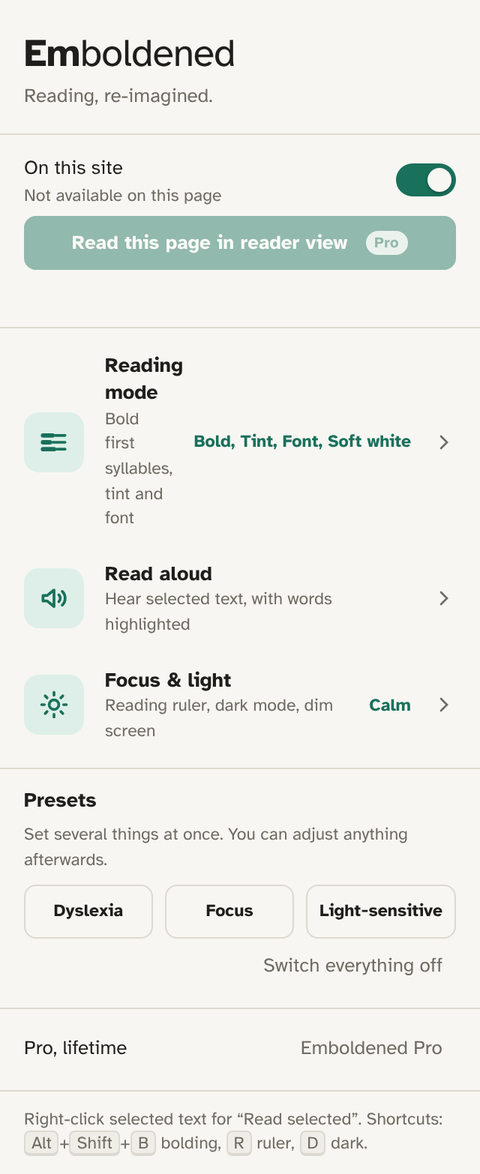
Emboldened is narrower on purpose. It’s a Chrome and Edge extension whose entire job is the page you’re reading: bold the start of each word, give you a readable font, space the text, shade everything except the line you’re on, take the glare off, read it to you. It has no writing tools, no Google Docs add-on and no mobile app. What it has instead is depth on the reading side and a design that assumes you’ll leave it switched on.
Side by side
| Helperbird | Emboldened | |
|---|---|---|
| Bold the start of each word | Not a headline feature | Free; first syllable from a 139,000-word dictionary. Pro: a third or half of each word, syllable dots, colour-only mode |
| Dyslexia-friendly fonts | Free: several, plus custom fonts | Free: Atkinson Hyperlegible, Lexend, OpenDyslexic (bundled) |
| Colour overlay / tint | Free | Free: six soft tints |
| Reading ruler / line focus | Free: dyslexia ruler, reading guide, line focus | Free: ruler that follows the mouse with height and shade; Pro adds a column ruler |
| Dark mode | Free | Free; analyses each page’s colours and leaves images, photos and video untouched |
| Dim screen, soft white | High contrast, grayscale | Dim slider free; soft white (cream instead of white) in Pro |
| Letter / word / line / paragraph spacing | Yes (within its reading tools) | Pro: four separate sliders |
| Text to speech | Free; natural voices in Pro | Free for selected text with sentence and word highlighting; Pro reads from any paragraph with an on-page player, 0.5×–3×. Uses the voices on your computer |
| Reader view / immersive reader | Free: Immersive Reader, Reading Mode | Pro: reader view with your settings applied and read-aloud |
| Dictionary | Pro | Pro: double-click, 147,000 words, works offline |
| Writing tools (prediction, spell check, grammar, dictation) | Pro | None |
| Summarise / simplify text | Pro | None |
| Google Docs / Slides / Sheets add-on | Yes | No |
| Browsers and devices | Chrome, Edge, Firefox, Safari; iOS, Mac; Android via Firefox/Edge | Chrome, Edge, Brave and other Chromium browsers; desktop only |
| Account | Not required for free | None at all |
| Price | Free; Pro $35/year (3-day trial) | Free; Pro £85/year (14-day trial, up to 5 devices) |
Helperbird’s features and prices are from its own pricing page at the time of writing and will change; check before you decide.
What Helperbird does better
- Breadth. If you need writing support (prediction, spell check, dictation) as well as reading support, Helperbird covers both and Emboldened doesn’t try to.
- Google Docs, Slides and Sheets. Its add-ons bring the tools into documents you’re writing, which matters for students.
- More platforms. Firefox, Safari, iPhone and iPad. Emboldened is Chromium desktop only.
- Price. Helperbird Pro is cheaper per year than Emboldened Pro. If the free tier of either does what you need, that’s moot, but it’s worth saying plainly.
- Summarising and simplifying. Helperbird Pro can rewrite or shorten text; Emboldened shows you the real page, as written.
What Emboldened does better
- Bolded word starts, done properly. First-syllable bolding by dictionary, with the option to bold more of each word, add syllable dots, or use colour instead of weight. It leaves editors and text boxes alone and never changes the page’s text, so copy and paste still gives you the original.
- A dark mode that doesn’t wreck pictures. Emboldened analyses each page’s colours and recolours text and backgrounds while leaving images, photos and video exactly as they are. No inverted faces.
- Read-aloud that highlights as it goes. Sentence and word highlighting on the page itself, from the voices already installed on your computer, with a UK English voice preferred when there is one. Pro lets you Alt+click any paragraph to start and gives you a small on-page player.
- Fewer things to manage. Three screens, three presets, one accent colour, and a per-site switch. Emboldened’s own screens follow the same legibility rules it applies to the web.
- Privacy you don’t have to think about. No account, no analytics, nothing you read leaves your computer; every free feature works offline. For a school’s IT review that’s a short conversation.
- Calm mode. Pro pauses animations, GIFs and autoplaying video, which is often the thing that breaks concentration before the text ever does.
Which should you pick?
A student with dyslexia who writes a lot of essays in Google Docs will probably get more from Helperbird. An adult who reads documentation, news, email and reports all day in a browser, and whose problem is that reading is tiring rather than that writing is hard, will usually get more from Emboldened. Plenty of people run both: Helperbird for writing, Emboldened switched on for reading, each disabled on the sites where the other is doing the work.
Both are free to try. Emboldened is on the Chrome Web Store, and its 14-day trial switches on every Pro feature with no card and no sign-up.
Questions
Can Helperbird and Emboldened run at the same time?
Yes, but don’t have both change the same thing (two fonts, two dark modes) on one page. Use Emboldened’s per-site switch or Helperbird’s site settings so each does its own job.
Does Emboldened have word prediction or spell check?
No. It’s a reading tool. For writing support, Helperbird or Read&Write are the right tools.
Which is better for a school?
Depends on need. Helperbird has school plans and Docs add-ons. Emboldened’s draw for schools is that it collects nothing, works offline, and the useful reading features are free with no account to manage; Pro licences are per person, up to five devices each.
Does Emboldened work in Firefox or Safari?
No. Chrome, Edge, Brave and other Chromium browsers only. Helperbird covers Firefox and Safari.
Free to install. Every Pro feature is on for 14 days, no card. Nothing you read leaves your computer.