
Reading, re‑imagined.
A browser extension that makes every web page easier to read, for people with dyslexia, ADHD and light sensitivity. Try it on the sample text.
Works in Chrome and Edge. Free features are free for good. Nothing you read leaves your computer.
Reading on a screen shouldn’t be hard work. Emboldened gives every word a clear start, so your eyes always know where to land.
Add a little space between letters and lines, a soft tint to take the glare off, or a ruler that follows your mouse and keeps the rest of the page quiet.
And when you’d rather listen, it reads to you, highlighting each word as it goes.
Dyslexia
Bold word starts, extra letter and line spacing, dyslexia-friendly fonts built in, syllable dots, and read-aloud with every word highlighted.
ADHD and focus
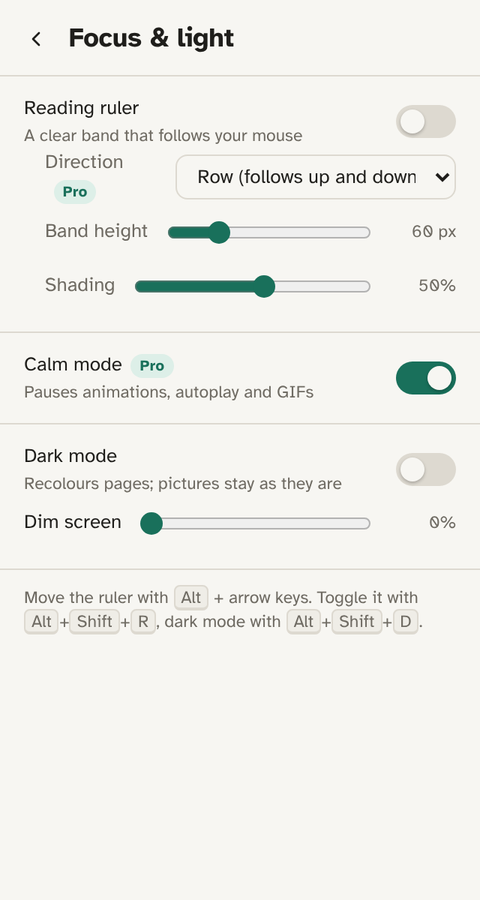
A reading ruler that follows your mouse, calm mode that pauses animations and autoplay, and a reader view that strips a page to just the article.
Light sensitivity
A soft colour tint, cream instead of pure white, a dim control for bright rooms, and a dark mode that recolours pages but leaves pictures alone.
Everything applies live, on any page, with no reloads.
Open the extension, flip a switch, and the page you’re reading changes. Switch it off and the page goes back exactly as it was.
Bold starts, spacing and fonts
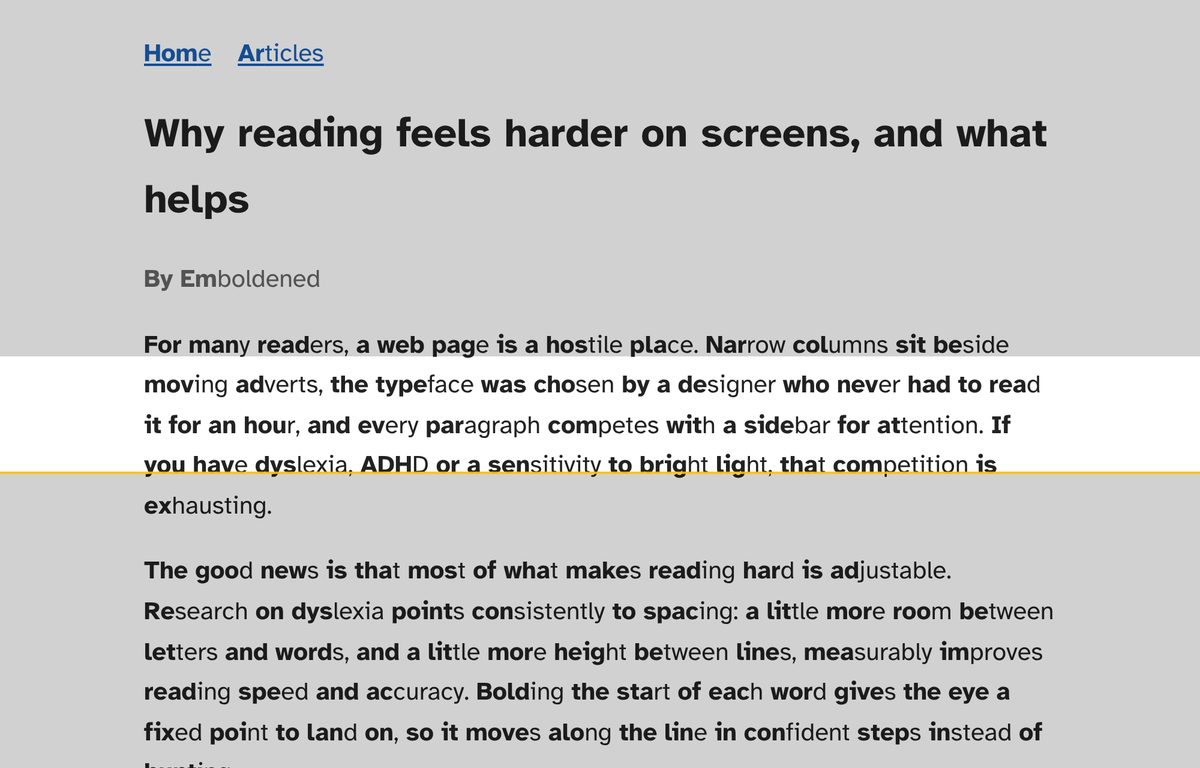
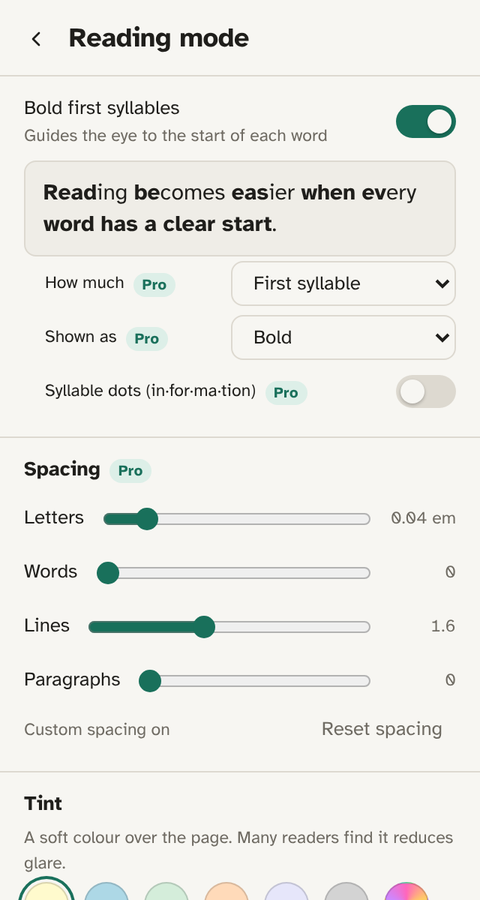
The first syllable of each word is emboldened so your eyes move along the line in confident steps. Set how much to bold and how heavy. Add letter, word, line and paragraph spacing, the best-evidenced help for dyslexia. Choose Atkinson Hyperlegible, Lexend or OpenDyslexic, all bundled so they work everywhere.
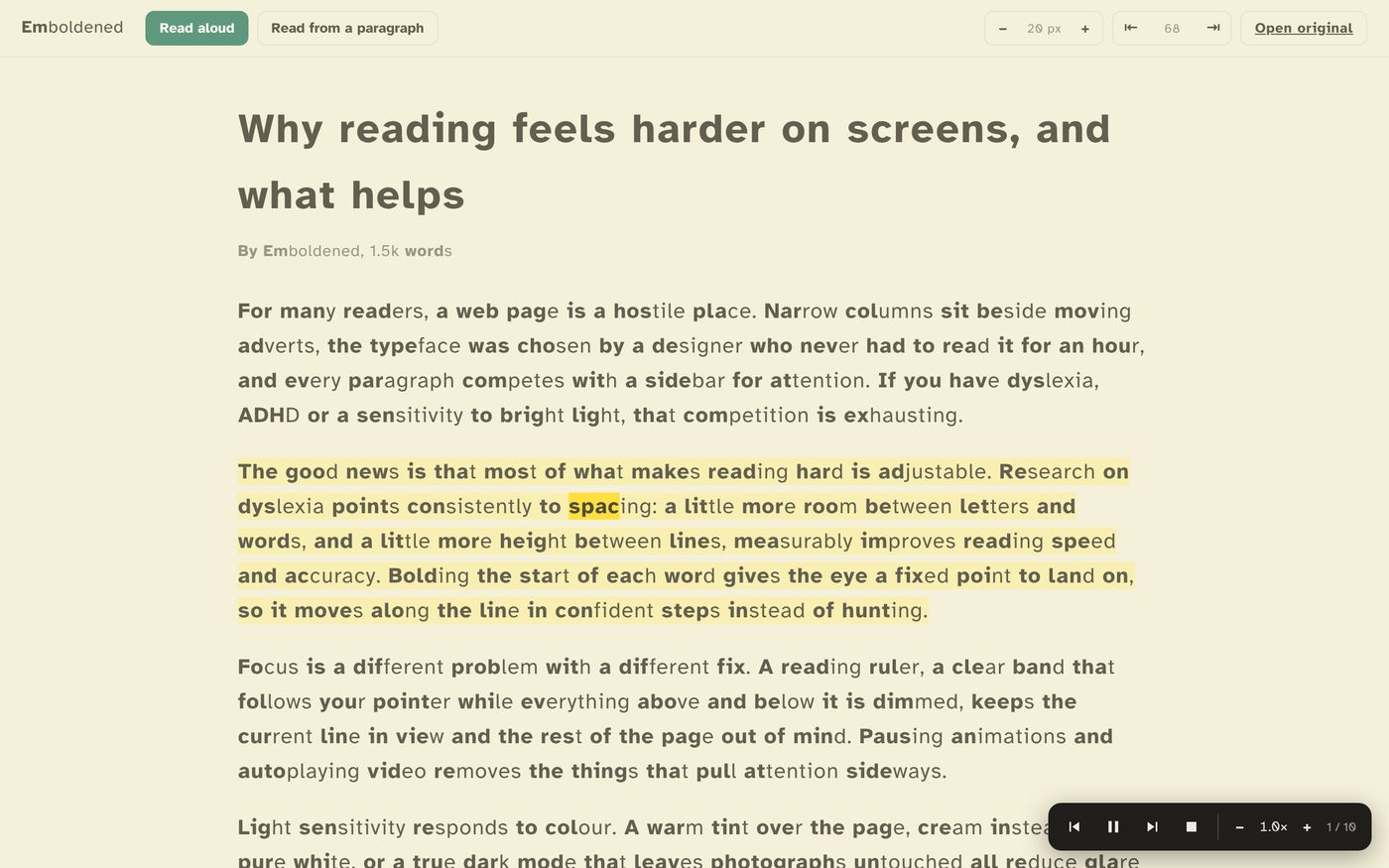
Reader view and read aloud Pro
Turn any article into a clean page with your settings applied, then listen. Each sentence and word is highlighted as it’s spoken; a small player on the page gives you pause, skip and speed. Start from any paragraph with one click.
- Double-click a word for its meaning — 147,000 words built in, works offline
- Works with the voices already on your computer
Simple controls, made to be read
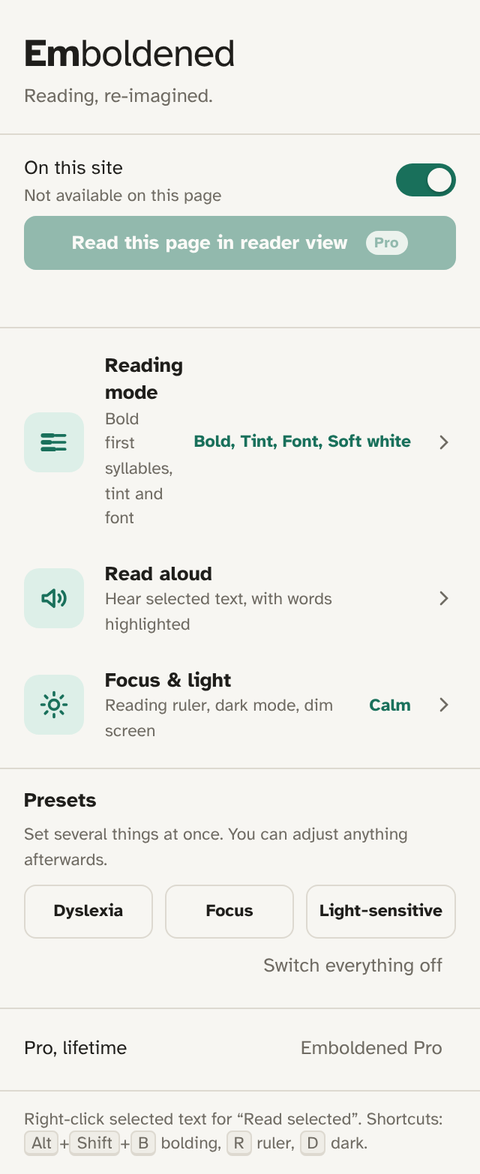
The extension’s own screens use the same legibility rules it applies to the web: one clear typeface, nothing smaller than 11.5px, big targets, one accent colour. Presets set up Dyslexia, Focus or Light-sensitive in one tap, and you can switch everything off per site.
The basics are free. For everyone. For good.
Pro adds the tools for longer, deeper reading. Every Pro feature is on for 14 days when you install, no card needed.
- Bold first syllables on any page
- Tint, font choice, dark mode, dim screen
- Reading ruler
- Read selected text aloud
- Presets and per-site switch
- Reader view
- Read from any paragraph, on-page player
- Definitions on double-click, offline
- Letter, word, line and paragraph spacing
- Syllable dots, colour-only and partial bolding
- Soft white, calm mode, column ruler
14-day free trial in the extension · up to 5 devices · cancel any time
What you read is yours.
There is nothing to sign up for and no analytics. The extension doesn’t know what you read.
Bolding, spacing, the ruler, dark mode, read-aloud and the dictionary all run on your computer.
Checking a Pro licence key, and fetching a word’s pronunciation. That’s the full list. Privacy policy.
Questions
Does it work on every website?
Yes — any normal web page, including web apps and pages that load more as you scroll. The one place Chrome doesn’t allow extensions is its own settings pages and the Web Store. You can switch Emboldened off for particular sites, such as your email editor, in one tap.
Will it change what I type or copy?
No. Text boxes and editors are left alone, and the bolding is applied in a way that doesn’t change the page’s text, so copying and pasting gives you the original words. Syllable dots are drawn, not inserted.
Which browsers?
Google Chrome and Microsoft Edge (Edge installs Chrome extensions). Other Chromium browsers such as Brave generally work too.
What does Pro cost and can I try it first?
£85 a year. Every Pro feature is switched on for 14 days when you install, with no card and no sign-up. If you buy, you get a licence key by email that works on up to five of your devices. Cancel any time; the free features keep working.
Is my reading sent anywhere?
No. The only things that ever leave your computer are a Pro licence key (to check it’s valid) and, if you use definitions, the single word you double-clicked, to fetch its pronunciation. Definitions themselves come from a dictionary inside the extension.
I’m a school, university or employer. Can I buy for several people?
Yes. Get in touch at info@emboldened.co.uk for a per-seat licence and an invoice.
Give your eyes somewhere to land.
Free to install. Pro free for 14 days.