
Emboldened vs Speechify
Speechify is a text-to-speech product: very good voices, every platform, and a price to match. Emboldened is a reading extension that happens to read aloud, using the voices already on your computer, with each word highlighted, and spends the rest of its effort making the page itself easier to read. If you mainly want to listen, read the Speechify section honestly. If you want to read better, with listening as one option, keep going.
What each one is
Speechify
Speechify turns text into speech across a Chrome extension, iOS, Android, Mac and the web. The free tier gives you ten standard voices at speeds up to 1.5×. Premium, at $139 billed yearly or $29 a month, unlocks more than a thousand natural voices in 60-plus languages, playback up to 5×, scan-and-listen for printed pages, AI summaries, cloud-drive integrations, voice typing and more. It’s a polished product aimed at people who want to listen to a lot of text, including books and documents, on any device.
Emboldened
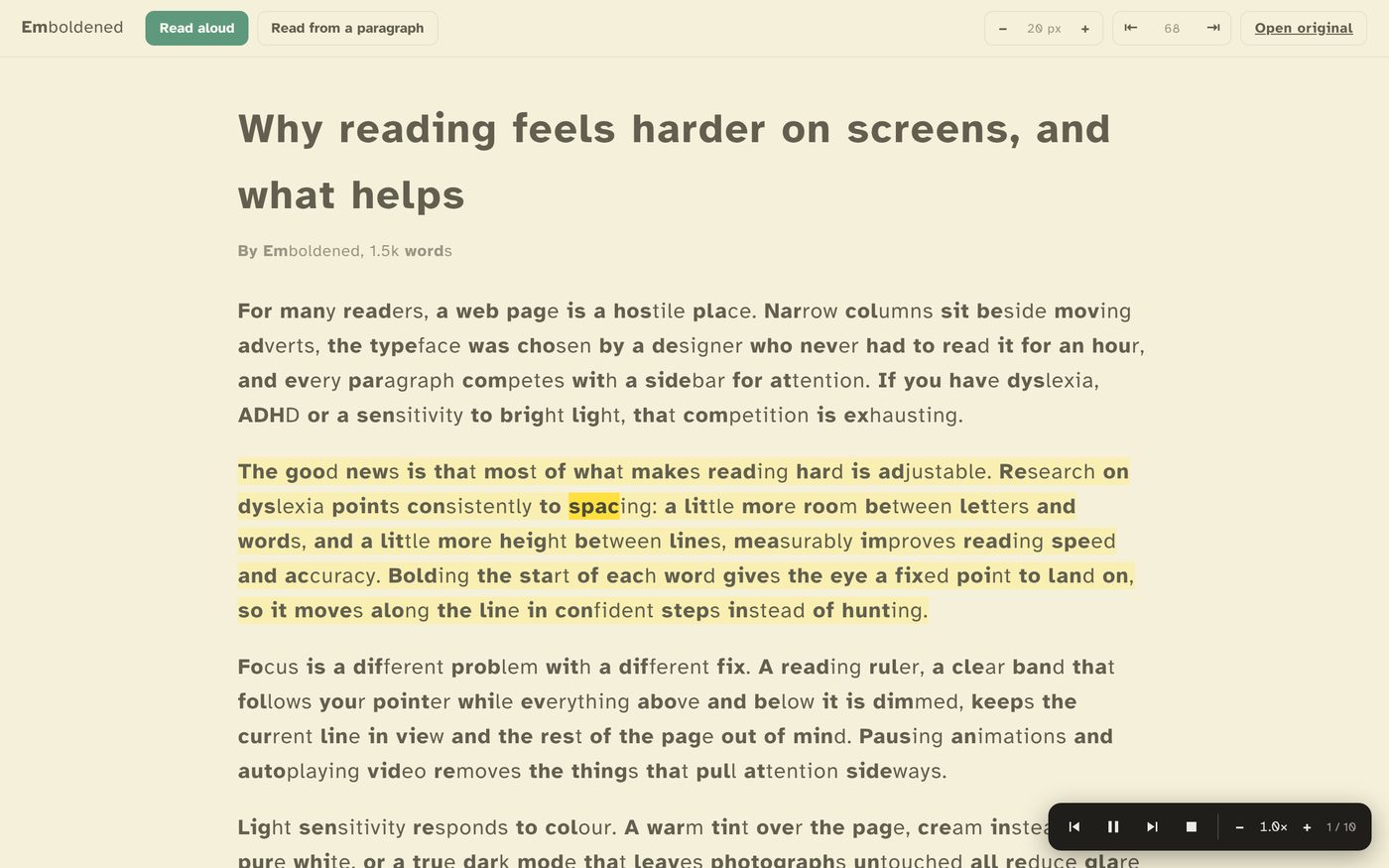
Emboldened is a Chrome and Edge extension built to make web pages readable: bolded word starts, readable fonts, spacing, a reading ruler, tint and dark mode. Read-aloud is part of it, not the point of it. Select text, right-click, “Read selected”, and it reads with each sentence and word highlighted on the page, using the voices Windows, macOS, ChromeOS or Chrome already provide, preferring a UK English voice when one is installed. Pro lets you Alt+click any paragraph to start reading from there, with a small on-page player for pause, skip and speed from 0.5× to 3×, and a reader view that strips the page to the article and reads that.
Side by side
| Speechify | Emboldened | |
|---|---|---|
| Voices | 10 standard free; 1,000+ natural AI voices in Premium | The voices installed on your computer (Windows, macOS, ChromeOS, Google voices in Chrome) |
| Speed | Up to 1.5× free, 5× Premium | 0.5×–3× (Pro player) |
| Word highlighting | Yes | Yes: sentence and word, on the page itself |
| Start from a paragraph | Yes | Pro: Alt+click or “Pick” |
| Reads documents, PDFs, books, photos of pages | Yes (scan in Premium) | No: web pages only |
| Phone and tablet | iOS, Android | No |
| Offline | Partly; premium voices are cloud-based | Entirely; it uses local voices |
| Changes the page you’re reading (bolding, fonts, spacing, ruler, tint, dark) | No | Yes; most of it free |
| Dictionary | No | Pro: double-click, offline |
| AI summaries, cloud sync | Premium | No |
| Account | Yes | None |
| Price | Free tier; Premium $139/year or $29/month | Free (read selected); Pro £85/year for read-from-anywhere, player and reader view, 14-day trial |
Speechify’s prices and limits are from its pricing page at the time of writing and will change.
What Speechify does better
- Voice quality. Its premium voices are among the most natural available. System voices have improved, and the Google voices in Chrome are decent, but if listening for hours is your main use, the difference is audible.
- Everything, everywhere. PDFs, ebooks, emails, photographed pages, on your phone and in the car. Emboldened only reads web pages on a desktop browser.
- Speed. Up to 5× for experienced listeners.
- Extras. Summaries, cloud-drive integration, voice typing.
What Emboldened does better
- It helps you read, not only listen. For a lot of people with dyslexia or ADHD, the goal isn’t to stop reading, it’s for reading to stop being exhausting. Bolded word starts, spacing, a ruler and a calmer page do that; listening is the backup.
- Highlighting on the real page. The words light up where they are, in the article you’re reading, with your font and spacing applied. Following along is how read-aloud actually helps with reading rather than replacing it.
- No cloud, no account. Speech happens on your computer, nothing you read leaves it, and there’s nothing to sign up for. Every free feature works offline.
- Price. Reading selected text aloud is free, forever. Pro, with read-from-anywhere, the player and reader view plus the rest of the reading tools, is £85 a year for up to five devices with a 14-day trial of everything.
- It stays out of the way. No floating widget on every page until you ask for it; the player appears when you start reading and goes when you stop.
About the voices
Emboldened doesn’t ship voices or send text to a server; it uses whatever your system offers. On Windows 11 that includes the Microsoft natural voices if you’ve installed them; on a Mac, Apple’s voices; in Chrome, Google’s. If you want a better voice, add one to your system and Emboldened will use it. It prefers a UK English voice when one is installed, so a British reader gets a British voice without changing anything.
Which to choose
If you consume long documents and books by ear, on your phone, and want the best voices, Speechify is built for that and worth its price to the people who use it daily. If your reading is in a browser and you’d rather make it readable, with listening available when you need it, Emboldened does that for nothing, and its Pro tier is a fraction of Speechify Premium. Some people use both: Speechify for books and PDFs, Emboldened for the web.
Emboldened is free on the Chrome Web Store; every Pro feature is on for 14 days after install, no card, no sign-up.
Questions
Can Emboldened read a PDF?
No. It reads web pages in Chromium browsers. For PDFs, Speechify, NaturalReader or your system’s built-in reader are the tools.
Can I choose the voice?
Emboldened picks a UK English voice if there is one, otherwise the best available English voice on your system. Install extra voices in Windows or macOS and it will use them.
Does read-aloud work offline?
Yes, with local system voices. Chrome’s Google voices need a connection; the Microsoft and Apple voices don’t.
Is read-aloud free?
Reading selected text, with highlighting, is free on every page. Starting from any paragraph with the on-page player, and reader view, are Pro.
Free to install. Every Pro feature is on for 14 days, no card. Nothing you read leaves your computer.